Make a Party Guides Hub
Practical walkthroughs for cash, conveyor, spins, decorating, expansion, Fame Shop, boxes, offline cash, boombox, rebirth, and controls.
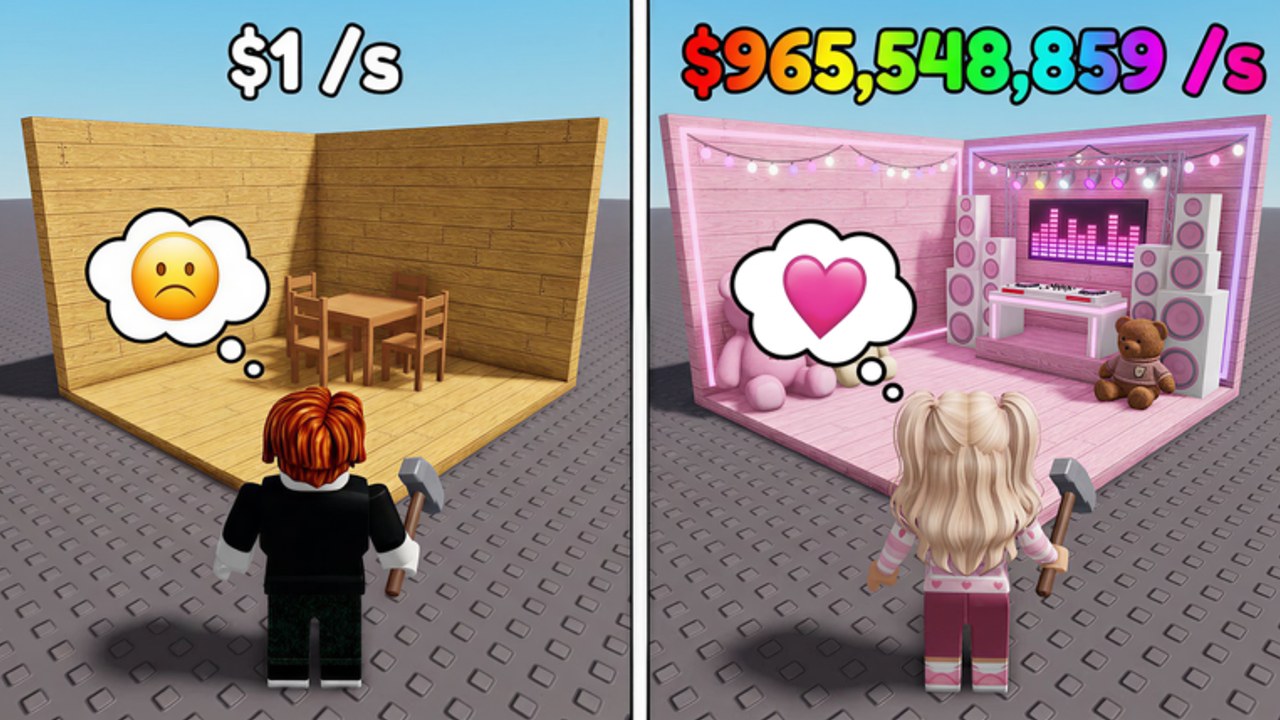
Welcome to the Make a Party Guides Hub for the Roblox experience by Crazy Night! This page is the map for every practical walkthrough on the wiki. Use it when you need a clear next action: earn cash faster, spin better items, decorate for income, expand your party base, upgrade your boombox, time a rebirth, or learn the menus on PC, mobile, and console.
Make a Party is a party-base progression game. You spin for items, place decorations, start the party to earn cash per second, then reinvest into conveyor upgrades, house expansion, item slots, boxes, fame shop purchases, and rebirth multipliers. Offline cash keeps progress moving when you leave, and promo codes in the Shop hand you free cash during launch and milestone windows. Place ID for the experience is 82570142697239.
How to use this hub
Start with Getting Started if you are on day one. Then open Earn Cash Fast to lock an income priority list before you overspend on cosmetics. When you understand the loop, deepen specific systems with How to Spin and Decorate, How to Expand Base, Boombox Guide, and How to Rebirth. Keep Controls bookmarked for platform and UI reminders.
Cross-check values with the party items tier list before dumping cash into weak decorations. For free currency, use the Codes Hub and how to redeem codes. If you want spreadsheet-style planning, try the party cash planner. Launch context lives on launch and milestones. Community tooling notes are on the CM Hub script page. For a broader take, read the review.
Full guide list
Day-one and systems
- Getting Started — first session checklist: codes, first spins, first party start, early upgrade order, and what to ignore until income is stable.
- Controls — PC, mobile, and console movement plus Shop, spin, party, expand, fame shop, and related menus.
Income and progression
- Earn Cash Fast — cash/sec priorities, conveyor vs boombox vs fame shop vs boxes, offline cash habits, and when rebirth beats grinding.
- Conveyor Guide — when the next belt level beats expand, boombox, Fame Shop, or another Spin dump.
- How to Rebirth — when rebirth is worth it, what typically resets, what you keep as multipliers, and how to recover faster after each reset.
Build and polish
- How to Spin and Decorate — spin timing, selling clutter, placing items for party value, and reading rarity against income.
- How to Expand Base — house expansion, conveyor upgrades, item slots, and space planning so every square supports cash/sec.
- Boombox Guide — when to buy, when to upgrade, and how boombox spend compares with expansion and fame shop buys.
- Fame Shop Guide — when listed Fame Shop rows beat expand, conveyor, boombox, or another Spin dump.
- Boxes Guide — restock and ready boxes, index claims, roll luck, and when variance is affordable.
- Offline Cash Guide — logout and return checklists so the away bonus actually pays.
Recommended learning path
- Redeem every working code from the Codes Hub through the Shop using how to redeem.
- Complete a short decorate-and-start-party cycle from Getting Started.
- Follow the spend order in Earn Cash Fast instead of buying random cosmetics.
- Use How to Spin and Decorate and the party items tier list to keep only strong placements.
- Unlock space and throughput with How to Expand Base and the Conveyor Guide, then tune audio income with the Boombox Guide.
- Rebirth on purpose using How to Rebirth, then rebuild using the same priority list.
- Spend leftover Cash with Fame Shop or boxes only after income is stable, and log out using offline cash.
- Recheck launch and milestones and likes, visits, and codes after big patches so costs and codes stay accurate.
Practical rules that apply to every guide
Treat cash/sec as the scoreboard. A decoration that looks great but barely moves income is a vanity purchase until your conveyor, slots, boombox, and party uptime are healthy. Start the party whenever it is ready; idle decorated bases that never start the party waste the whole loop. Spend code cash on progression, not wallpaper. Before rebirth, convert loose cash into permanent-feeling upgrades when the math still helps the next run. After rebirth, do not reinvent your plan — return to the same early priorities and climb faster with the multiplier.
Boxes and fame shop purchases can spike progress, but only after you understand their opportunity cost. If a box buy delays a needed expansion or conveyor level, wait. If fame shop gear multiplies party income more than another cosmetic spin dump, buy fame shop first. Offline cash is a bonus layer: leave the party in a strong state before you quit so return sessions start with a useful bank.
Who each guide is for
Brand-new players should stay on Getting Started and Controls until the Shop, spin, and party buttons feel automatic. Mid-game players live in Earn Cash Fast, How to Expand Base, and the Boombox Guide. Players stuck on a plateau should open How to Rebirth and the party cash planner together. Collectors and optimizers should keep How to Spin and Decorate next to the party items tier list.
Stay current
Crazy Night! can change shop prices, spin tables, boombox tiers, expansion costs, and code rewards after visit or like milestones. When something in a guide disagrees with your live client, trust the live client, then re-check launch and milestones and the Codes Hub. This hub will keep linking the same core pages so you always have a single entry point for Make a Party strategy.
If you only open one page after this hub, open Earn Cash Fast. Income priorities unlock every other system. If you only open two, add Getting Started. Everything else on this hub exists to make those two pages execute cleanly on your party base.
Frequently Asked Questions
Quick answers for Make a Party players.
Which Make a Party guide should I read first?
Start with Getting Started for the first session, then Earn Cash Fast so every purchase follows an income priority instead of random decorating.
Do these guides replace the in-game tutorial?
No. Use the live game for button locations and current prices. These pages explain priorities, timing, and how systems connect after the tutorial ends.
Where do codes, tiers, and tools fit with guides?
Redeem codes from the Codes Hub, compare items on the party items tier list, and use the party cash planner when you want number-based spend decisions.
Are scripts required to follow these guides?
No. Every guide is written for normal play. The CM Hub script page is optional community tooling, not a requirement for progression.