Make a Party Scripts
Automation helpers for spin, party, Cash, conveyor, rebirth, and shops — use only after you know the loop.
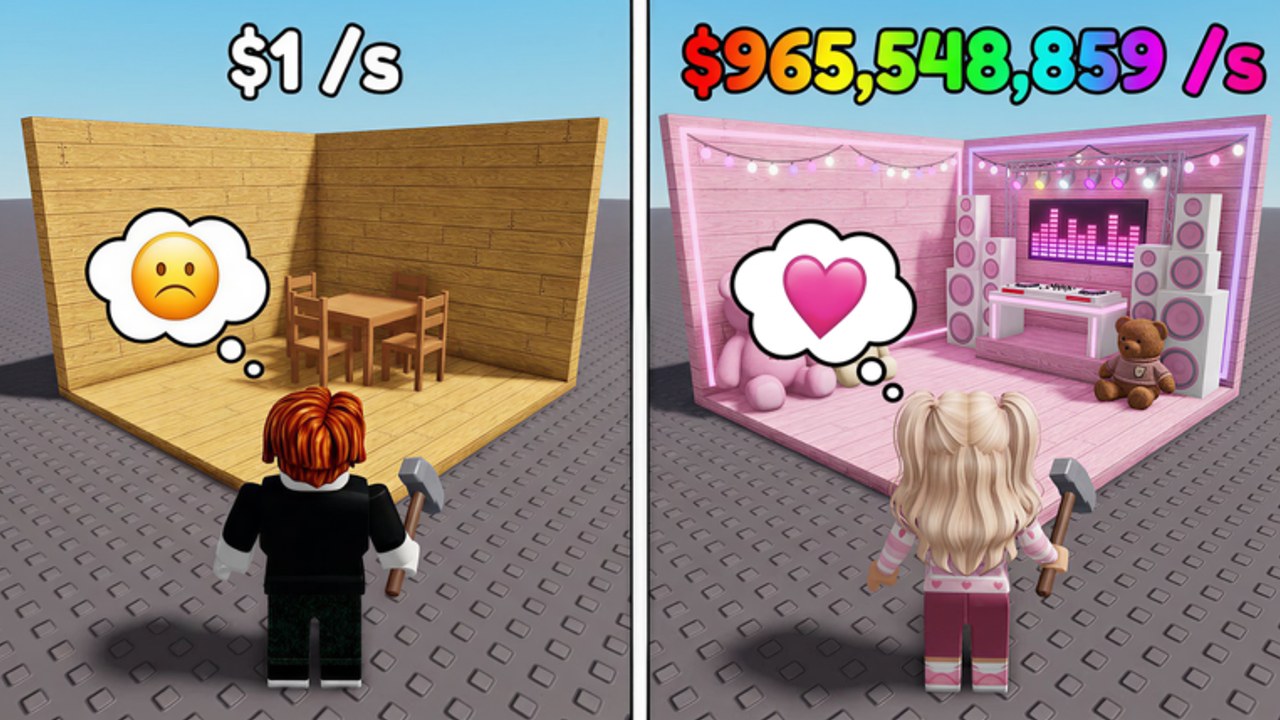
Scripts in Make a Party automate the same loop you play by hand: Spin for Party Items → decorate base → Start Party → earn Cash/sec → expand house and conveyor → boombox, fame shop, and boxes → rebirth → collect offline Cash. This hub explains what automation is useful for, what it cannot replace, and where to find the featured loader on this wiki.
Read Getting Started and Earn Cash Fast first. Scripts accelerate clicks; they do not teach upgrade order. Pair automation with the Party Cash Planner and the Tier List so auto-buy decisions still match good priorities.
Featured script on this wiki
| Page | Focus |
|---|---|
| CM Hub Script | Loader string plus toggles for Auto Spin, Auto Start Party, Auto Collect Money, Auto Upgrade Conveyor, Auto Rebirth, Auto Buy Expand House, Auto Boombox, Fame Shop, Boxes, and related helpers |
Open that page for the exact loadstring line, feature list, and setup notes. Do not paste random executors from chat; use one loader you understand and keep toggles limited until Cash/sec is stable.
What automation helps
Useful when you already know the loop:
- Auto Spin — keeps Party Item rolls going while you AFK.
- Auto Start Party — turns Cash/sec back on after downtime.
- Auto Collect Money — clears Cash pickups so income is not stranded.
- Auto Upgrade Conveyor — pushes conveyor tiers when Cash allows.
- Auto Buy Expand House — expands the base on a schedule.
- Auto Rebirth — cycles rebirth when requirements are met.
- Auto Boombox / Fame Shop / Boxes — spends into late-loop shops when enabled.
Useless or risky when you are still learning menus: auto-buy with no Cash buffer, rebirth before house and conveyor make sense, or boxing while decoration slots are empty.
Safety and account notes
Roblox does not officially support third-party executors. Using scripts can risk account restrictions. This wiki documents community loaders for players who already accept that risk; it does not guarantee safety, uptime, or ToS compliance. Prefer main accounts only if you accept possible loss. Never share cookies, passwords, or session tokens with any script UI.
If a loader asks for a key system or external site login, read prompts carefully. The CM Hub loader linked on CM Hub Script uses a hosted loader.lua endpoint — treat any unexpected permission or file download as a stop signal.
Scripts vs codes vs guides
- Codes give a one-time Cash bump — start at the Codes Hub, redeem via How to Redeem Codes, fix fails on Codes Not Working.
- Guides teach the loop — Getting Started, Earn Cash Fast.
- Scripts repeat the loop while AFK — CM Hub Script.
- Updates explain when systems change — Launch and Milestones.
A healthy session often looks like: redeem RELEASE, set decoration and party once by hand, then enable only the autos you need (collect + start party + conveyor), not every toggle at once.
Recommended enable order
- Auto Collect Money and Auto Start Party (income stays online).
- Auto Spin after you understand decoration quality via the Tier List.
- Auto Upgrade Conveyor and Auto Buy Expand House with a Cash floor so you are not left broke mid-upgrade.
- Auto Boombox, Fame Shop, Boxes after Cash/sec is healthy.
- Auto Rebirth last, once expand and conveyor goals for the current run are clear.
Tune spends with the Party Cash Planner. If automation outpaces your understanding, turn toggles off and finish a manual run using Earn Cash Fast.
Related pages
- CM Hub Script — loadstring and feature breakdown
- Codes Hub — Free Cash before long AFK sessions
- Getting Started — manual loop first
- Earn Cash Fast — income priorities
- Launch and Milestones — patch timing for broken autos
Frequently Asked Questions
Quick answers for Make a Party players.
Which Make a Party script does this wiki cover?
The CM Hub Script page documents the featured loader with Auto Spin, Auto Start Party, Auto Collect Money, conveyor and house upgrades, rebirth, boombox, fame shop, and boxes.
Should beginners use scripts on day one?
No. Learn Shop, spin, Start Party, and expand by hand via Getting Started and Earn Cash Fast first, then automate.
Can scripts replace codes?
No. Codes are a separate Free Cash redeem path in Exclusive Shop. Redeem RELEASE on the Codes Hub, then use scripts for repetition.
Are these scripts risk-free?
No. Third-party executors can risk your Roblox account. Use at your own risk and never share account credentials.
Which autos should I turn on first?
Start with Auto Collect Money and Auto Start Party, then conveyor or house expand with a Cash buffer. Leave Auto Rebirth and box autos for later.