Getting Started in Make a Party
A practical first-session plan: codes, spins, decorating, party start, and smart early spends.
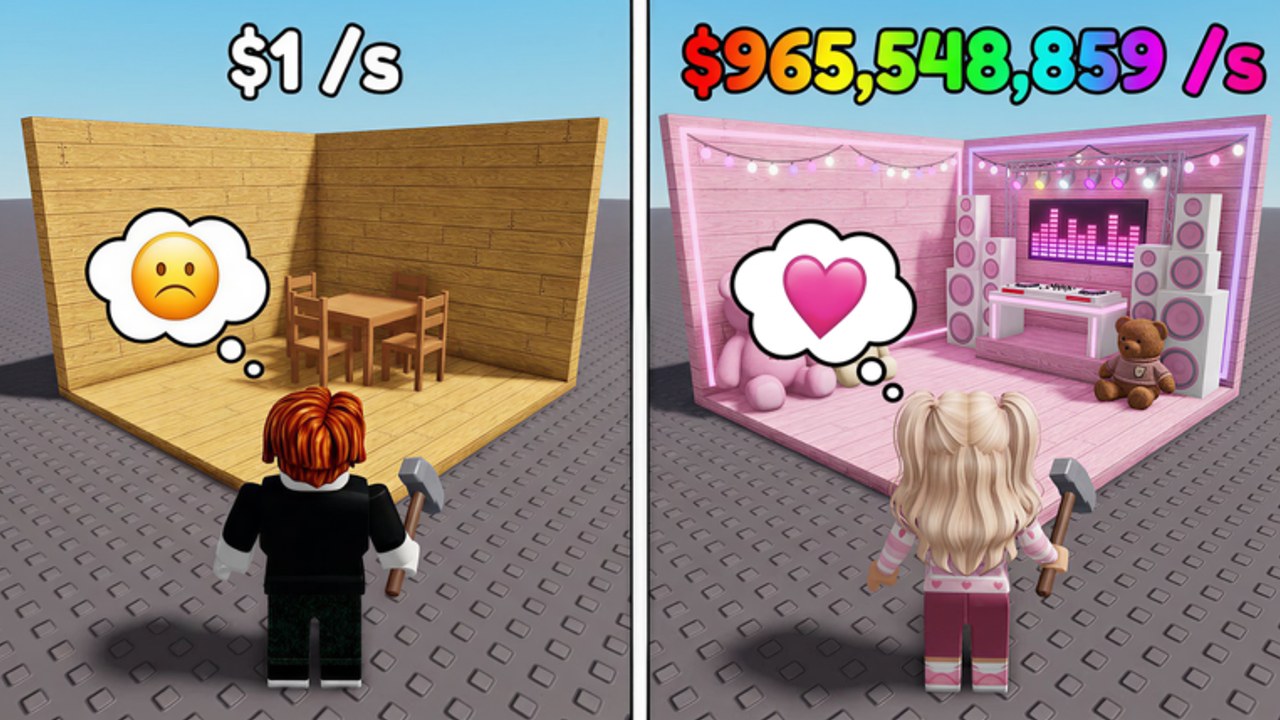
Make a Party by Crazy Night! is a Roblox party-base game where your job on day one is simple: turn a bare plot into a paying party as fast as possible. You spin for items, decorate the base, start the party for cash per second, then expand, upgrade the conveyor, buy boombox tiers, open boxes, visit the fame shop, and eventually rebirth. This guide is the first-hour playbook for place 82570142697239. After that hour, open dedicated system pages instead of guessing: Fame Shop Guide, Boxes Guide, Conveyor Guide, and Offline Cash Guide. Milestone Cash dumps belong on Likes, Visits, and Codes.
If you only remember three rules, remember these: redeem codes before you spend, start the party whenever it is ready, and buy income before cosmetics. Everything else on this wiki supports that loop.
Before you decorate anything
Load into your party base and open the Shop. Scroll to the code box and redeem every working string from the Codes Hub. Follow the exact steps on how to redeem codes so you do not miss the bottom-of-Shop field. Code cash is the cheapest acceleration you will get on day one. Spend it on progression, not on the first shiny decoration that looks fun.
Next, skim Controls if you are swapping between PC, mobile, and console. You need to reach Shop, spin, party start, expand, and fame shop without hunting every button. A slow UI is free lost income.
First loop: spin, place, party
- Spin for early items until you have a few placeable decorations or party props.
- Place them in clear sight lines inside the usable party space. Avoid stacking clutter that blocks walking or future expand pads.
- Start the party as soon as the game allows. Cash/sec only matters when the party is running.
- Collect cash regularly in the early game so you can afford the next spin, slot, or small upgrade without long dry spells.
- Repeat. Do not wait for a perfect room before starting the party.
The decorate-and-start loop is the heartbeat of Make a Party. Players who only spin and never start the party stall. Players who only decorate without upgrading throughput also stall, just more slowly. For item quality judgment later, keep the party items tier list open beside How to Spin and Decorate.
Day-one spend order
Use this order until your cash/sec feels automatic:
- Keep the party running — uptime beats a prettier idle room.
- Unlock space and slots you actually need — see How to Expand Base before you drown in unplaceable inventory.
- Improve conveyor throughput — conveyor upgrades raise how quickly the base supports income systems.
- Buy the first useful boombox step when it clearly beats another vanity spin dump — details in the Boombox Guide.
- Sample boxes or fame shop only after the above are not starving — random box panic buys are a common day-one trap.
- Ignore rebirth until the first rebirth is obviously affordable and rewarding — then read How to Rebirth.
For a deeper priority matrix, switch to Earn Cash Fast after this page. That guide is the mid-session upgrade to this checklist.
What to do in your first 20 minutes
Minutes 0–5: redeem codes, learn Shop and spin, place whatever you get, start the party. Minutes 5–12: reinvest cash into more spins and the cheapest upgrades that unlock space or conveyor progress. Minutes 12–20: clean weak placements, keep the party running, and decide whether the next big purchase is expansion, boombox, or a carefully chosen fame shop or box spend.
During this window, avoid three traps. First, saving a huge cash pile with no party running. Second, filling the floor with low-value clutter that you will sell five minutes later. Third, rebirth curiosity clicks before you understand resets. Rebirth is powerful, but premature rebirth wastes a strong first climb.
Offline cash and session endings
Before you leave Roblox, leave the party in a strong state: decorations placed, party started if available, and no giant unspent pile sitting unused if a cheap income upgrade is ready. Offline cash rewards a base that was already earning. Treat logout as part of the strategy, not an accident.
When you return, collect offline gains, redeem any new codes from the Codes Hub, then resume the same spend order. Do not reinvent your plan every login.
Soft goals for the end of day one
By the end of a solid first session you should have: redeemed launch or milestone codes, completed multiple spin-and-party cycles, expanded or unlocked at least one meaningful space or slot upgrade, evaluated a boombox purchase without impulse buying every tier, and bookmarked Earn Cash Fast, How to Expand Base, and How to Rebirth. Optional: skim launch and milestones so you know which celebration windows may drop new codes, and open the party cash planner if you like number targets.
Community automation notes live on the CM Hub script page. You do not need scripts to finish day one. This getting-started path is written for clean, manual play.
How this page connects to the rest of the wiki
- Income priorities: Earn Cash Fast
- Spins and placement craft: How to Spin and Decorate
- Space and conveyor: How to Expand Base
- Audio upgrades: Boombox Guide
- Reset timing: How to Rebirth
- Buttons and platforms: Controls
- Values: party items tier list
- Free cash: Codes Hub and how to redeem
- Context and opinion: launch and milestones, review
Day one is not about building the final dream venue. It is about proving the loop: spin, decorate, start party, collect, reinvest. Once that loop is muscle memory, the rest of the Guides Hub becomes easy to follow.
Frequently Asked Questions
Quick answers for Make a Party players.
What should I buy first in Make a Party?
After redeeming codes, prioritize party uptime, needed space or item slots, and conveyor progress before cosmetic-only spends or random boxes.
Do I need to start the party every time?
Yes whenever it is available. Decorations alone do not replace an active party cash/sec loop.
Where do I redeem codes on day one?
Open the Shop, scroll to the code box near the bottom, and enter working codes exactly. See the how-to-redeem guide for the full steps.
When should a new player think about rebirth?
After your first income climb feels slow despite upgrades. Read the rebirth guide before confirming so you know what resets.
Do I need a squad to progress in Make a Party?
No. Progress is centered on your own party base. Focus on your spins, decorations, party uptime, and upgrades rather than waiting on friends.